
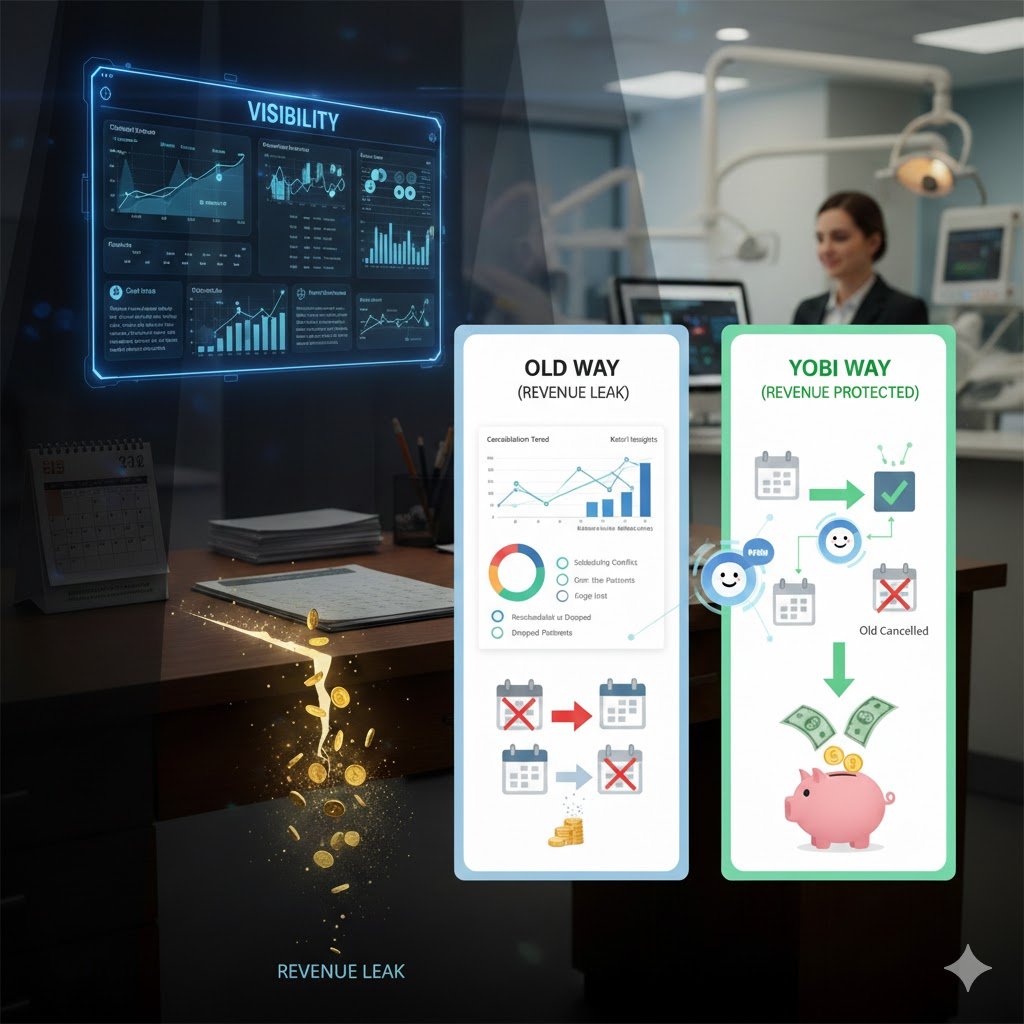

Fifteen patients cancelled this month. Your front desk says it was "a busy month." You nod, move on, and absorb $3,000 in lost revenue without knowing where it went or why.
That's not a bad month. That's a blind spot.
The Revenue Leak You Can't See
Every practice deals with cancellations. The average dental practice sees a cancellation rate between 10% and 15%. At $150–$300 per appointment, that's $1,500 to $4,500 vanishing every month, quietly, consistently, with no paper trail.
But the real problem isn't the cancellations themselves. It's that most practices have zero visibility into them. No data on why patients cancel. No way to tell if they rescheduled or disappeared. No breakdown by provider, by day of week, by appointment type. Just a vague feeling that the schedule had more holes than it should have.
You can't fix what you can't see. And you definitely can't fix what you can't measure.
Research shows that practices who track and address cancellation reasons reduce cancellations by 20–30%. Patient retention is five times cheaper than new patient acquisition. The data is clear: understanding your cancellations is one of the highest-ROI investments a practice can make.
The problem? Until now, capturing that data meant relying on your front desk to manually log reasons mid-conversation while juggling three other tasks. It didn't happen consistently. It didn't happen accurately. Often it didn't happen at all.
Yobi Now Tracks the Full Cancellation Lifecycle
Yobi's new Appointment Cancellation & Rescheduling Tracking gives you complete visibility into every cancelled appointment, from the original booking through the cancellation reason to whether the patient rescheduled.
Not a summary. Not a tally. The full story.
When a patient calls Kate, Yobi's AI voice agent, to cancel, here's what gets captured automatically:
- Original appointment details — date, time, provider, appointment type
- Cancellation reason — captured naturally during the AI conversation, not from a dropdown menu
- Timestamp — exactly when the cancellation happened
- Rescheduling status — did the patient book a new appointment, or did they drop off?
- Linked appointments — the cancelled slot and the new booking are connected, so you see the full picture
- Agent attribution — which AI agent handled the conversation
All of this syncs with NexHealth in real time and flows into your analytics dashboard. No manual entry. No guesswork. No forgotten notes.
Smart Rescheduling: Book First, Cancel Second
Here's where the design matters.
When a patient wants to reschedule, most systems cancel the old appointment first, then try to book a new one. If the patient doesn't find a time that works or gets distracted, or hangs up then they're left with nothing. You've got an empty slot and no appointment on the books.
Yobi flips that. Kate books the new appointment first, confirms the patient has a slot they want, and then cancels the old one. The patient always has a confirmed appointment. There's never a gap where they exist in limbo with nothing scheduled.
Not cancel-then-rebook. Book-then-cancel. The patient is always on your calendar.
It's a small difference in workflow. It's a massive difference in revenue protection.
What You Can Actually Do With This Data
1. Monitor Cancellation Rates by Type, Provider, and Day
Are cleanings getting cancelled more than consultations? Does Dr. Martinez see more cancellations on Fridays? Do Monday mornings have the highest drop-off rate? Now you know and you can adjust scheduling, staffing, and outreach accordingly.
2. Separate Rescheduled Patients from Lost Patients
Fifteen cancellations sounds bad. But if 10 of them rescheduled, you still have those patients. Your real problem is the 5 who didn't come back. This distinction changes everything about how you respond. A rescheduled patient is retained revenue. A dropped patient is a retention problem.
3. Track the Reasons and Act on Them
When four out of six drop-offs cite "scheduling conflict," that's not random. That's a signal. Add evening hours, open a weekend slot, adjust your availability. When patients say "too expensive," it's time to promote financing options or revisit your fee communication. The reasons tell you exactly what to fix.
4. Measure Agent Performance
Which AI agents handle cancellation conversations best? Which ones have the highest reschedule rate? Agent attribution lets you compare performance and optimize how your AI workforce handles these critical moments.
5. Track Trends Over Time
Is your cancellation rate improving or worsening? Are your retention strategies working? Monthly and quarterly trend data turns a reactive problem into a proactive strategy. You stop guessing and start managing.
Why This Matters for Your Practice
Here's the before and after.
Before15 cancellations this month. Your front desk says it was a busy month. You don't know why patients cancelled, whether they rescheduled, or what you could have done differently. $3,000 in lost revenue disappears into a black hole.
AfterYobi shows you that 9 of the 15 rescheduled, they're still yours. Of the 6 who didn't come back, 4 cited "scheduling conflict" and 2 said "too expensive." You add Tuesday evening hours and promote your financing options on your website. Next month, cancellations drop 30%.
Same practice. Same patient volume. Different visibility. Different outcome.
Cancellations will always happen. But when every cancellation becomes data with a reason, a timestamp, a reschedule status, and a trend line you stop losing revenue blindly and start protecting it intentionally.
Getting Started
Cancellation & Rescheduling Tracking is available now for all Yobi users with integration. There's no additional cost, no upgrade required, and no setup on your end.
Your cancellation data is already flowing into your analytics dashboard. Log in and start reading the stories your cancellations have been trying to tell you.
Existing customers: Log in to your dashboard to view your cancellation analytics.
Not using Yobi yet? Book a Demo to see how AI employees can protect your revenue 24/7. Or call Kate directly: (609) 507-2178.
FAQ
How does Yobi capture the cancellation reason?
Kate captures the reason during natural conversation with the patient. There are no dropdown menus or rigid categories — the patient simply explains why they're cancelling, and Yobi records it in context. This produces richer, more accurate reasons than manual front desk logging.
Does this work for cancellations handled outside of Yobi?
The tracking captures cancellations processed through Yobi's AI agents. For complete data, route your cancellation calls through Yobi, which Kate handles 24/7, including nights and weekends when most patient-initiated cancellations happen.
What does the analytics dashboard show?
You'll see cancellation rates over time, breakdowns by appointment type, provider, and day of week, reschedule vs. drop-off ratios, common cancellation reasons, and trend analysis. All data syncs with Yobi in real time.
Is the smart rescheduling flow automatic?
Yes. When a patient wants to reschedule, Kate automatically books the new appointment first, confirms it with the patient, and then cancels the old one. There's no configuration needed, it's how the system works by default.
Is this HIPAA compliant?
Yes. All Yobi services, including cancellation tracking and analytics, are fully HIPAA compliant. Patient data is encrypted and handled according to healthcare privacy standards.