
You spend $2,000 on a Google Ads campaign for new patient exams. The ad is sharp. The landing page converts. A potential patient picks up the phone and calls your dedicated campaign number.
Kate answers. She's professional, warm, ready to help. But then she says:
Kate:"I can schedule you for a New Patient Exam, Cleaning, Emergency Visit, Consultation, or Follow-Up. Which would you like?"
The caller pauses. They saw an ad for a new patient exam. Now they're being asked to choose from five options they didn't come for. Some book anyway. Some get confused and say they'll call back. They don't.
Your focused campaign just got diluted by your own phone system. And you'd never know because it just looks like a low conversion rate.
The Problem: Your AI Agent Offered Everything
If your practice runs multiple AI employees through Yobi, a general office line, a campaign-specific number, a specialty department line, they all shared the same appointment type menu. Kate didn't know that the caller who reached your Google Ads number should only hear about new patient exams. She offered everything, because that's all she could do.
For practices running marketing campaigns, this was a silent conversion killer:
- Campaign messaging promised one service; Kate offered five
- Callers experienced decision paralysis instead of a focused booking flow
- Conversion tracking got muddied across appointment types
- Marketing ROI looked worse than it should have
For multi-location and multi-specialty practices, the problem was operational: a caller reaching your orthodontics line could accidentally book a cleaning. A suburban office agent would offer services only available downtown.
The Fix: Give Each AI Employee Its Own Booking Scope
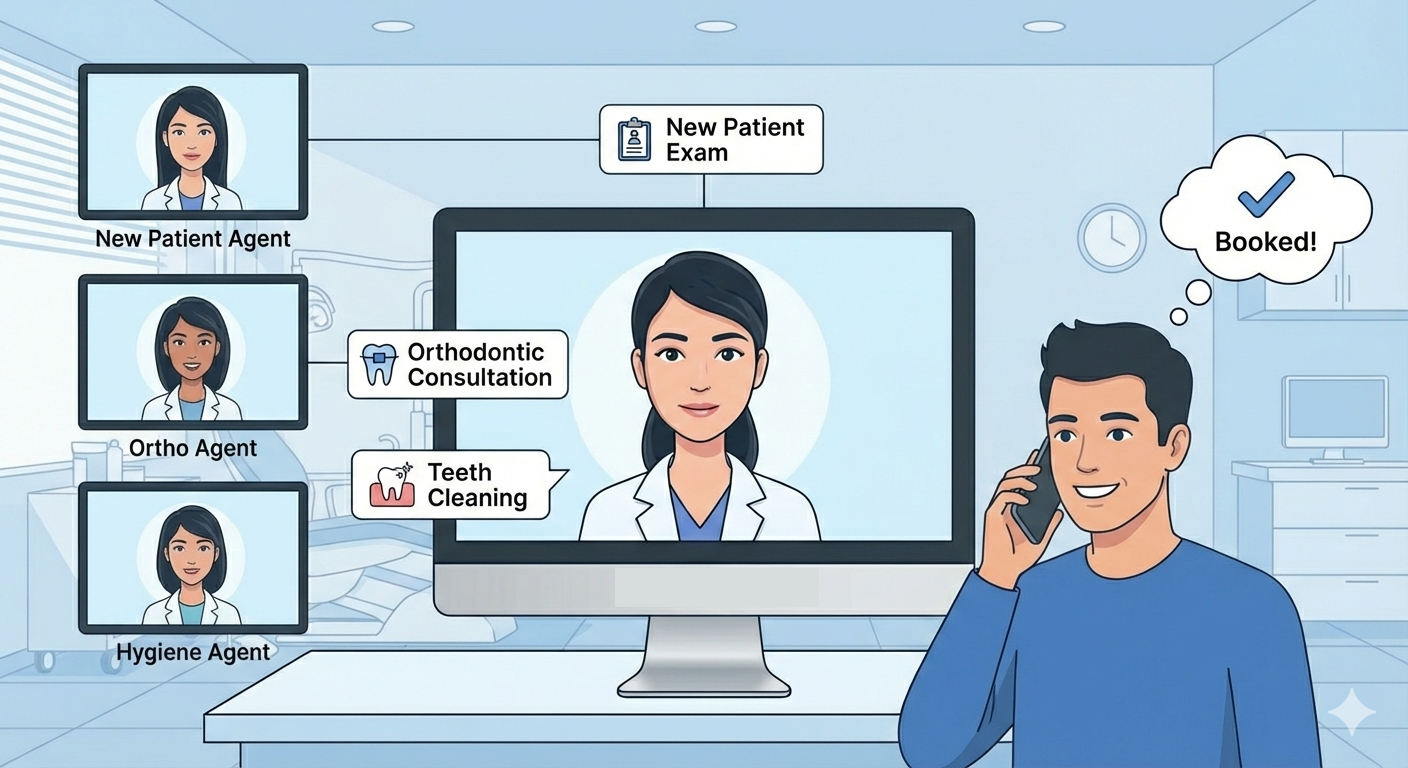
Per-Agent Appointment Type Filtering lets you control exactly which appointment types each AI employee can offer and book. Your campaign agent only knows about the service you're promoting. Your general line keeps the full menu. Your specialty line stays focused on its specialty.
Setting it up takes 60 seconds
- Open AI Studio in your Yobi dashboard
- Select the agent you want to configure
- Click Integration Settings
- Under Allowed Appointment Types, select which types this agent should handle
- Save
That's it. Kate's next call on that line will only present the types you selected.
What your callers experience
Before (no filter):"We can schedule you for a New Patient Exam, Cleaning, Emergency Visit, or Consultation. Which type of appointment would you like?"
After (filtered to New Patient Exam only):"I'd love to help you schedule a New Patient Exam. Would you like me to find the next available time?"
Clean. Focused. Exactly what your ad promised.
Real-World Use Cases
Marketing Campaign Agents
Run dedicated AI employees for each advertising channel - Google Ads, Facebook campaigns, direct mail responses. With each one only offering the promoted service. Track true conversion rates without appointment type confusion.
Example: Your "Invisalign Special" Facebook ad drives calls to Kate on a dedicated line. She only books Invisalign consultations. No distractions. Perfect attribution. Higher conversion.
Specialty Department Routing
Different phone lines for different specialties, each with its own AI employee and appointment menu.
Example: Your orthodontics line only offers ortho consultations. Your hygiene recall line only offers cleanings. Callers get exactly what they're looking for, every time.
New Patient vs. Existing Patient Flows
Create separate experiences optimized for different patient types.
Example: New patient lines offer intake-friendly appointment types only, comprehensive exams, consultations. Existing patient lines keep the full menu including routine cleanings and follow-ups.
Multi-Location Practices
Each location has different service offerings. Now each location's AI employee matches.
Example: Your downtown location offers orthodontics; your suburban location doesn't. Each agent only presents what that specific office can actually deliver.
Why This Matters for Your Practice
Better marketing ROI. When your ad promises a specific service and Kate delivers exactly that conversation, conversion rates improve. No confusion, no decision paralysis, no missed opportunities. Practices using Yobi already see 7% more new customers and focused agent experiences push that even further.
Cleaner analytics. Track which campaigns drive which appointment types without guesswork. Each agent's scope matches its purpose, making attribution crystal clear.
Superior caller experience. Callers reached you because they wanted something specific. Give them exactly that and not a cafeteria menu. Focused experiences convert better and feel more professional.
Operational flexibility. Run as many agents as you need, each tailored to its role, without complicating your NexHealth setup. Zero integration changes required on your end.
Technical Highlights
- Zero changes required to your PMS integration — all filtering happens on Yobi's side
- Per-agent configuration — each AI employee has independent settings
- Fully backward compatible — leave the setting empty and agents work exactly as before
- Dynamic and real-time — appointment types are fetched from the syncing on demand
- Comprehensive coverage — filtering applies to prompts, availability checks, booking, and rescheduling
Getting Started
This feature is available now for all Yobi customers with NexHealth integration. No upgrade required. No additional cost.
- Log into your Yobi
- Open Dashboard and select an agent
- Configure its allowed appointment types in Integration Settings
- Save. Kate's next call on that line will be focused
FAQ
Will this affect my current agents?
Only if you configure it. Agents without filters continue working exactly as they do today with full access to all appointment types.
Can I change the filter later?
Absolutely. Update or clear filters anytime from Integration Settings. Changes take effect immediately on the next call.
What if a caller asks for something not in the filter?
Your AI Agent only knows about it's allowed types. The agent will naturally guide the conversation toward the available options without confusing the caller.
Does this work for rescheduling too?
Yes. When a caller wants to reschedule, the AI agent only offers appointment types within her allowed list.
How does this help with campaign tracking?
Each agent's scope matches its campaign purpose. When your "New Patient Exam" agent only books new patient exams, you know every booking from that line came from that campaign. Clean attribution, no guesswork.
About Yobi: Yobi is the premier agentic platform with AI employees that work like real team members, not tools you have to manage. Yobi's AI employees have scheduled over 50,000 appointments for 500+ businesses. Dental practices using Yobi see 7% more new customers.