It is 2:40 pm on a Wednesday. You are at the front desk of your second office, and a patient in front of you wants to know whether she can be seen at your other location on Friday instead.
You are almost sure the answer is yes. To find out, you sign out of the account you are in, sign back in as the other office, look at Friday, then sign out again to get back to the desk you are actually standing at.
Three logins to answer one question, with a patient watching you do it.
The problem is not that you have two offices. It is that your software thinks you are two people.
Managing multiple dental practice locations is now the ordinary path rather than the unusual one. According to the American Dental Association, in 2022, 24% of dentists ten years or less out of school worked in a practice with ten or more locations, against 8% of dentists more than twenty-five years out. The profession moved. Most of the software people use every day still assumes one building, one account, one person.
So the workarounds appear. A shared browser profile nobody wants to close. A second browser kept open for the other office. A sticky note with a password on it, which is the version nobody admits to. An office manager who covers two practices ends up with two working identities and has to remember which one she is currently being.
None of this is a front-desk failure. It is the tax on an assumption the software made years ago and never revisited. And it is quietly expensive, because the cost is not the thirty seconds of signing in. It is that nobody checks the other location casually. Anything that requires three logins to answer stops being a question people ask.
The fix: one login, every location
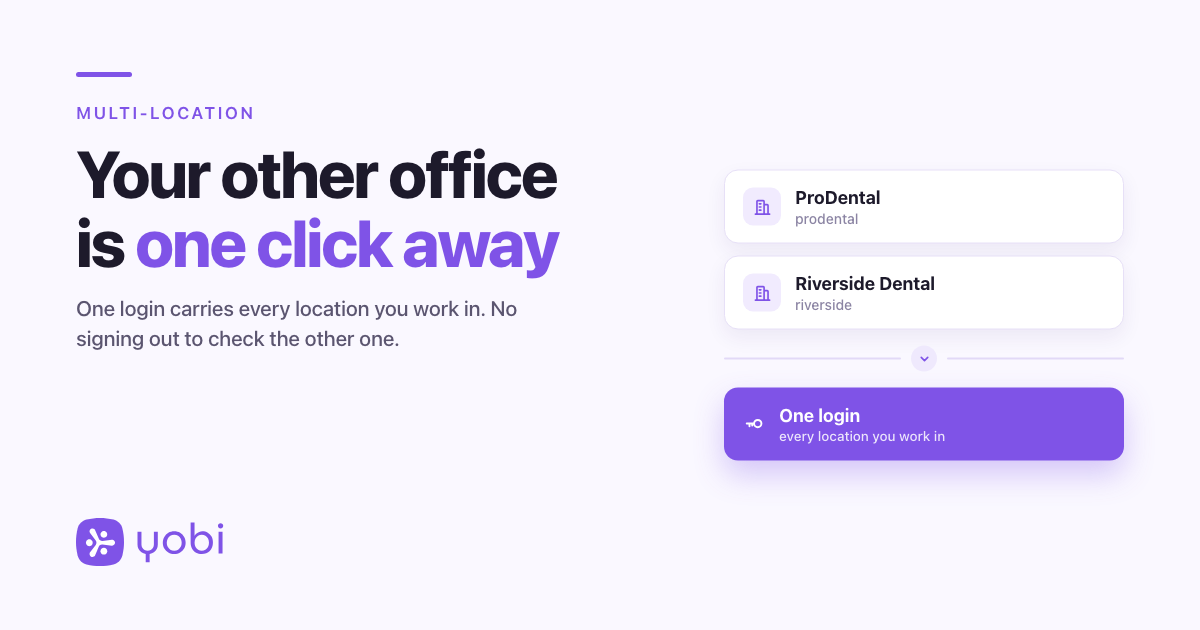
Once your locations are linked, your email address carries every one of them. You sign in once, choose which office you are working in, and move between them without signing out again.
Switching does not change how each location is set up. Each one keeps its own plan, its own payment method and its own invoices. Your role is set per location too, so being an administrator at one office does not make you an administrator at the other. What changes is the number of identities you have to be.
How it works
Signing in. You enter the same email and password you always have. If that email belongs to more than one location, the sign-in screen shows a short list headed Choose a workspace, with each location's name. Pick one and you land in it. If your email belongs to exactly one location, nothing changes at all: you will never see the picker. However you sign in, the picker behaves the same way.
Moving between offices. Once you are in, the locations you belong to sit at the top of your profile menu at the bottom of the left navigation, each with a building icon and a check mark against the one you are in now. Selecting another one takes you there.
There is a second way in, under Settings, on your Profile page, in a card headed Workspaces, with the line Switch between the businesses your account belongs to. Each row ends in either Current ✓ or Switch.
Either way, you are not asked for your password again.
Seeing every location's billing in one place
If you are the administrator for more than one office, the billing page has a link to All workspaces billing: Plans, payment methods, and invoices across every workspace you manage.
Each location gets a card showing its Plan, its Payment method and its Invoices, with anything unpaid marked and linked. It is a read-only view, not a combined bill. Every office still has its own subscription and its own card on file, so you can see all of them without signing in and out to find which one has the expired card.
A Wednesday afternoon, start to finish
Dr. Sunny owns two practices, ProDental and Riverside Dental. His office manager covers both, and she is standing at the Riverside desk when a patient asks about Friday at ProDental.
She opens her profile menu at the bottom of the left navigation. ProDental and Riverside Dental are both there, with a check mark against Riverside. She selects ProDental, the app opens on that office, and she looks at Friday.
There is an opening at 11:00 am. She tells the patient, switches back to Riverside, and carries on with the person still standing in front of her.
ProDental and Riverside Dental are fictional practices used for illustration.
Why this matters for your practice
Before: every question about your other location costs a sign-out, and so most of those questions never get asked. The second office is something you check deliberately, once a day, rather than something you can glance at.
After: the other office is a click from wherever you already are, which means people actually look. A patient asking about your other location gets an answer while she is still on the phone or still at the desk.
Getting started
This is rolling out now to multi-location practices, starting with a group of early-access customers. There is no switch to flip on your side, and there is no button in the app that adds a location. Linking your offices to one email address is done by the Yobi team, not from the app. If a practice that already uses Yobi invites you to join them, accepting that invitation adds it too.
Two things are worth knowing before you ask. Every location has to be reachable at the same email address, so if your two offices signed up under different addresses, mention it when you get in touch. And your role is set per office, so tell us what access you should have at each one.
If you are already a Yobi customer and you run or work across more than one location, message us to ask about early access. Request Multi-Location Access
If you are not using Yobi yet, see what one login across your locations looks like on your own practices. See It in a Demo or call Kate at 609-507-2178.
FAQ
Do I need a separate password for each location?
No. That is the whole point. One email address and one password carry every location you belong to, and switching between them never asks you to sign in again.
What if my two offices signed up with different email addresses?
Then they are still two separate accounts today. Every location has to sit under the same email address for this to work. Linking them is done by the Yobi team rather than from the app, so message us to ask about early access.
Does being an administrator at one location make me an administrator at the other?
No. Your role is set per location. You might be an administrator at the office you manage and an ordinary user at the one you cover on Thursdays, and that is exactly how it will behave.
Can I add a location myself?
No, there is no "add a location" button in Yobi. A person at Yobi attaches a new office to your login. Accepting an invitation from another practice that already uses Yobi will also add it. If you are opening a second location, get in touch to ask about early access.
Is this available to every Yobi customer?
Not yet. It is rolling out to multi-location practices in early access. If you run more than one office and want it, message us to ask about joining.