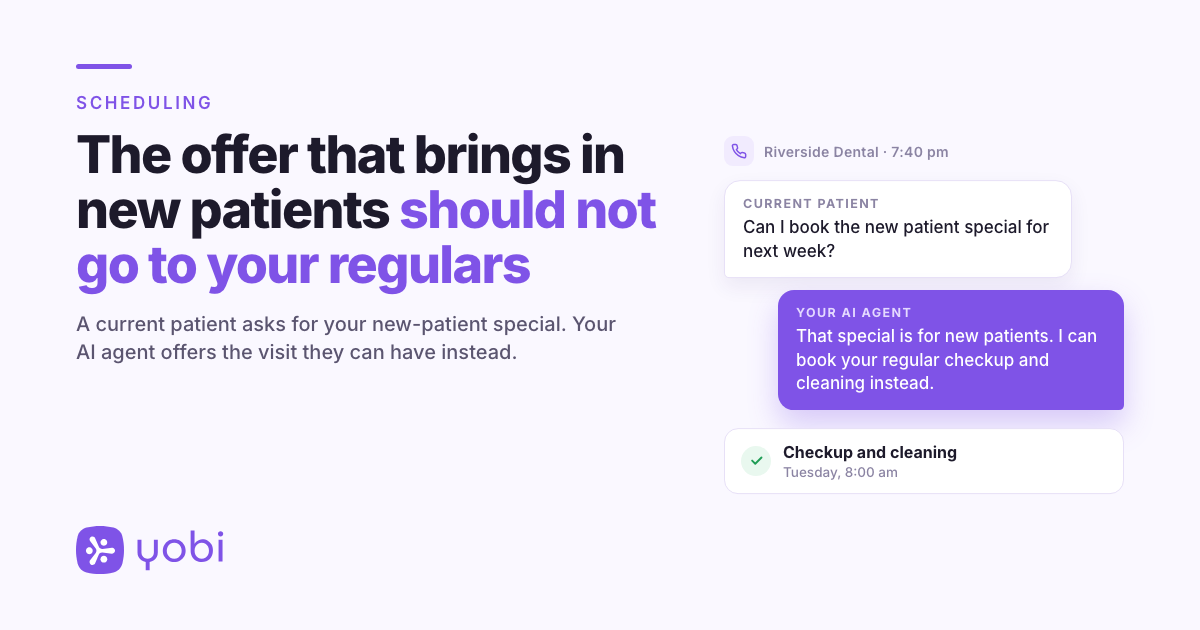
It is 7:40 pm on a Thursday. A patient who has been coming to Riverside Dental for six years sees the practice's new-patient exam special on Facebook, picks up the phone, and asks to book it for next week.
If whoever answers books what the caller asks for, that is exactly what happens. On Monday someone at the front desk finds a long-time patient in an appointment meant for a first visit and has two choices: call her to undo it, or have the conversation at the counter when she walks in.
The offer was built to bring in new patients. Your schedule should not hand it to anyone who asks for it.
Your existing patients see the new-patient special too
Practices set new-patient appointments apart for good reasons. Some are an offer, priced to bring first-time patients through the door. Some are simply longer, because a first visit needs a full exam, X-rays and time with the doctor that a routine checkup does not.
Your current patients see the same ads, mailers and website as everyone else, and some of them quite reasonably ask for the deal. When a person answers, they recognize the voice or check the chart and steer the caller to the right visit. Booking on the request alone cannot do that, and the mistake surfaces later, when it is more awkward to fix.
None of this is the front desk's fault. A rule that lives in someone's head is only enforced while that someone is answering the phone.
The fix: New-Patient-Only Appointments
When your AI agent knows the caller is already one of your patients, it will not quote times for, or book, an appointment type meant only for new patients. It offers an appointment your existing patients can book instead.
Your new-patient offer keeps doing its job, which is bringing in new patients, and a regular who calls about it can still be booked into the visit they can actually have.
How it works
There is nothing to set up. Three things happen on the call.
- Your AI agent works out who is calling. It checks the caller's number against your practice management system through NexHealth, asks the caller's name, and uses the matching record only if the name fits. If the number is not on file, it asks whether they have been to the practice before and can look up their record.
- It knows which appointments are for new patients. Any appointment type in your practice management system with "New Patient" in its name, such as "New Patient Exam" or "New Patient Special", is treated as new-patient-only. Capitalization does not matter, but it needs the two words with a space: "New-Patient Exam", "NP Exam" or "First Visit" are not covered.
- A patient it recognizes is offered the right appointment instead. Your AI agent does not offer times for the new-patient type and does not book it. It suggests an appointment type existing patients can book and checks times for that. If nothing fits what the caller needs, the request goes to your team.
This applies to phone calls your AI agent answers.
A Thursday evening, start to finish
Riverside Dental runs a new-patient exam special, booked as an appointment type called "New Patient Exam Special". A long-time patient calls after hours.
Agent: Thank you for calling Riverside Dental. How can I help?
Patient: Hi, I saw your new patient special on Facebook. Can I book that for next week?
Agent: I would be glad to help. Can I get your name?
Patient: It is Sam.
Agent: Thanks, Sam. That special is for new patients, and you are already a patient with us, so I cannot book it. I can book a regular checkup and cleaning for you instead. The earliest I have is Tuesday at 8:00 am, or Wednesday at 3:30 pm.
Patient: Tuesday works.
Agent: To make sure I have the right record, can you confirm your date of birth?
Patient: Sure. (Sam gives it.)
Agent: Thank you. You are booked for Tuesday at 8:00 am.
What landed on the schedule is Sam's regular visit. The special was never booked, so there is nothing to unwind on Monday.
Riverside Dental and Sam are fictional, used for illustration.
Where it helps
1. The advertised new-patient special
An offer on social media, in a mailer or on your website reaches your current patients as well as new ones. When one of them calls to claim it and your AI agent recognizes them, it offers the visit they can have and leaves the special alone.
2. The longer first visit
If your practice books new patients into a longer comprehensive exam, that appointment is built for a first visit. Your AI agent books current patients it recognizes into their own appointment types instead.
3. "I just need an exam"
Callers rarely use your appointment type names. When a patient your AI agent has recognized asks for "an exam" or "a cleaning", it leaves the new-patient types out when it works out which appointment they mean, so a vague request does not land in the new-patient exam by accident.
Why this matters for your practice
Before: your new-patient appointments are kept for new patients only when someone who knows the rule answers the phone. After hours, a regular can book the special, and Monday starts with a call to undo it.
After: when your AI agent knows the caller is a patient, it offers them a visit meant for them, and the new-patient appointment is left for someone who has never been in.
Getting started
It is available now for all Yobi customers on the AI Integrated plan, with the practice management system connected through NexHealth. No upgrade required. No additional cost.
If you are already a Yobi customer, check that your new-patient appointment types have "New Patient" in their names in your practice management system, and you are set. Log in to dashboard
If you are not using Yobi yet, see how your AI agent handles a current patient asking for your new-patient offer. Book a Demo or call Kate at 609-507-2178.
FAQ
Do I need to turn this on?
No. It is how your AI agent books appointments for practices on the AI Integrated plan with the practice management system connected. There is no setting to change.
Our new-patient appointment is called "NP Exam". Is it covered?
No, not under that name. Your AI agent looks for the words "New Patient" in the appointment type's name, in any capitalization. Rename it in your practice management system to include "New Patient" and it is covered.
What if a current patient calls from a number we do not have on file?
Your AI agent asks whether the caller has been to the practice before and can look up their record. If it cannot tell that the caller is already a patient, this check cannot apply, so up-to-date phone numbers in your practice management system help.
Will current patients still be able to book their usual appointments?
Yes. Only appointment types with "New Patient" in their name are affected. A type meant for everyone, such as an emergency visit, should not have "New Patient" in its name.
Does this work for texts or web chat?
No. It applies to phone calls.